
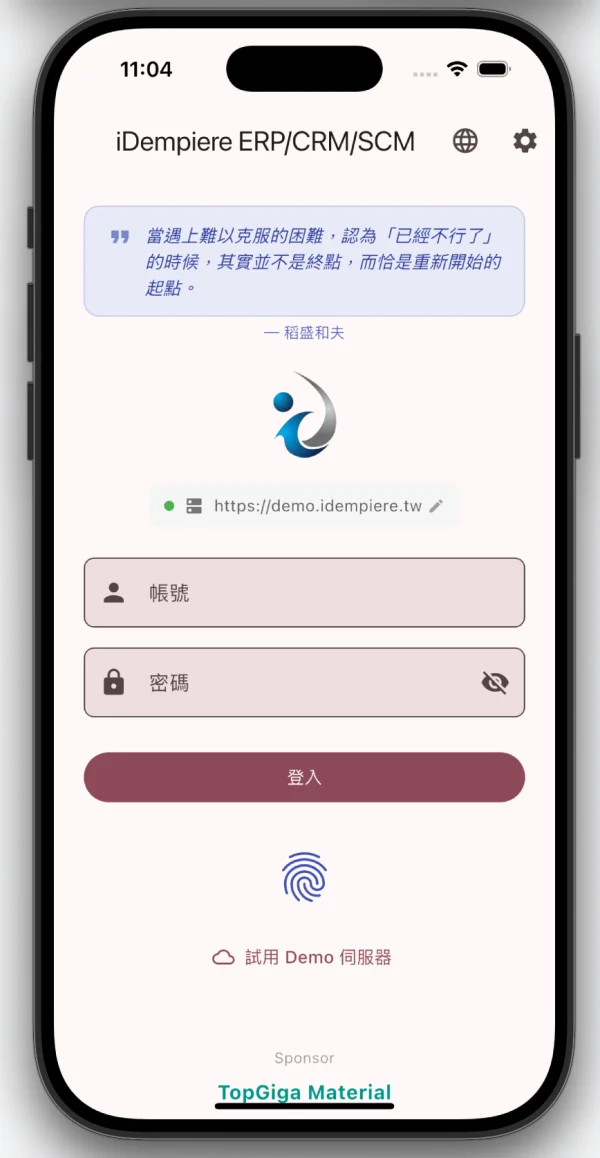
各位觀眾、各位鄉親,歷史性的一刻終於來了 —— iDempiere Mobile App 正式開放內部測試!
沒錯,你沒有看錯,我們終於鼓起勇氣把還沒完全打磨好的 App 交到你們手上了。這不是 Bug,這是 Feature(不是)。
🍎 果粉專區:Apple TestFlight 封閉測試
如果你是 iPhone / iPad 用戶,Apple 現在走的是封閉測試路線。你需要先到社群頁面留下你的 Apple ID Email,等管理員把你加進 TestFlight 名單,你才會收到邀請。沒錯,蘋果也開始講究「先報名、再入場」了。
流程很簡單:
- 到 社群頁面 填入你的 Apple ID Email
- 管理員收到通知後,在 App Store Connect 把你加進測試名單
- 加好之後你會收到 TestFlight 的邀請 Email
- 用 同一個 Apple ID 登入才能加入測試
整個過程大概需要等個幾小時到一天,跟安卓一樣要看管理員有沒有在線。公平了吧。
🤖 安卓大軍:Google Play 內部測試
Android 用戶就沒那麼好命了(開玩笑的)。Google Play 的內部測試機制要求我們先把你的 Gmail 加入測試名單,你才能下載。所以流程是這樣的:
- 到 社群頁面 填入你的 Gmail
- 管理員收到通知後,手動把你加入 Google Play Console(對,是手動,我們還沒有僱 AI 來做這件事)
- 加好之後你會收到一封 Email,裡面有下載連結
- 用同一個 Gmail 帳號登入 Google Play 才看得到下載按鈕
整個過程大概需要等個幾小時到一天,取決於管理員有沒有在打瞌睡。
🐛 當白老鼠的權利與義務
作為內測用戶,你享有以下尊貴待遇:
- 搶先體驗最新功能 — 比你的同事早一步用到新玩意
- 抓蟲特權 — 遇到 Bug 不是你的問題,是我們的榮幸
- 直通開發團隊 — 你的回饋我們真的會看(真的)
你唯一的義務就是:遇到問題別默默承受,到 聯繫我們 頁面吐槽一下,或直接在 GitHub 開 Issue。沉默不是金,沉默是讓 Bug 活得更久。
👉 立即行動
前往 開源社群頁面,找到「搶先體驗」區塊,選擇你的陣營(蘋果 or 安卓),填上你的 Email,開始你的內測之旅!
科技始終來自於勇敢的白老鼠。感謝你們。 🫡
🌐 English Version
Ladies and gentlemen, the moment you’ve been waiting for — iDempiere Mobile App is now open for beta testing!
Yes, you read that right. We’ve finally mustered the courage to put our not-yet-perfectly-polished App into your hands. It’s not a bug, it’s a feature (just kidding).
🍎 For Apple Users: TestFlight Closed Test
If you’re on iPhone or iPad, Apple now runs a closed testing model. You’ll need to submit your Apple ID email on our community page first, and once the admin adds you to the TestFlight list, you’ll receive an invitation. Yes, Apple has joined the “register first, enter later” club.
Here’s how it works:
- Head to the Community page and submit your Apple ID email
- Our admin gets notified and adds you to the tester list in App Store Connect
- Once added, you’ll receive a TestFlight invitation email
- Make sure you’re signed in with the same Apple ID to join the test
The whole process takes a few hours to a day, same as Android — depends on whether the admin is online. Fair and square.
🤖 Android Squad: Google Play Internal Test
Android users don’t have it quite as easy (just kidding… sort of). Google Play’s internal testing requires us to manually add your Gmail to the tester list before you can download. Here’s how it works:
- Head to the Community page and submit your Gmail
- Our admin gets notified and manually adds you to Google Play Console (yes, manually — we haven’t hired an AI for this yet)
- Once added, you’ll receive an email with the download link
- Make sure you’re signed into Google Play with the same Gmail account
The whole process takes a few hours to a day, depending on whether the admin is napping.
🐛 Rights & Duties of a Guinea Pig
As a beta tester, you enjoy these exclusive perks:
- Early access to the latest features — be the first to show off to your coworkers
- Bug-hunting privileges — when something breaks, it’s not your fault, it’s our honor
- Direct line to the dev team — we actually read your feedback (really)
Your only duty: don’t suffer in silence. Head to our Contact page to report issues, or open a GitHub Issue. Silence isn’t golden — silence is what keeps bugs alive.
👉 Get Started
Visit the Community page, find the “Early Access” section, pick your side (Apple or Android), drop your email, and start your beta journey!
Technology has always been driven by brave guinea pigs. Thank you for your service. 🫡
🇯🇵 日本語版
皆さん、ついにこの歴史的瞬間がやってきました —— iDempiere Mobile App、ベータテスト開始!
そうです、見間違いではありません。まだ完全に磨き上げていないAppを皆さんの手に委ねる勇気が、ようやく湧いてきました。これはバグではなく、フィーチャーです(冗談です)。
🍎 Apple ユーザー向け:TestFlight クローズドテスト
iPhone / iPad ユーザーの方、Appleは現在クローズドテスト方式を採用しています。まずコミュニティページでApple IDのメールアドレスを送信してください。管理者がTestFlightリストに追加すると、招待メールが届きます。そうです、Appleも「先に登録、後で入場」方式になりました。
手順はこちら:
- コミュニティページでApple IDのメールアドレスを送信
- 管理者が通知を受けて、App Store Connectでテスターリストに追加
- 追加後、TestFlightから招待メールが届きます
- 同じApple IDでサインインしてテストに参加してください
全体のプロセスは数時間〜1日かかります。Androidと同じく、管理者がオンラインかどうか次第です。これで公平ですね。
🤖 Android 部隊:Google Play 内部テスト
Androidユーザーはちょっとだけ手間がかかります(冗談です…たぶん)。Google Playの内部テストでは、ダウンロード前にGmailをテスターリストに手動で追加する必要があります:
- コミュニティページでGmailを送信
- 管理者が通知を受けて、Google Play Consoleに手動で追加(はい、手動です。まだAIは雇っていません)
- 追加後、ダウンロードリンク付きのメールが届きます
- 同じGmailアカウントでGoogle Playにログインしてください
全体のプロセスは数時間〜1日かかります。管理者が居眠りしていないことを祈りましょう。
🐛 実験台の権利と義務
ベータテスターとして、以下の特典があります:
- 最新機能への先行アクセス — 同僚より一歩先に新機能を体験
- バグハンティング特権 — 何か壊れても、あなたのせいではなく、私たちの光栄です
- 開発チームへの直通回線 — フィードバックは本当に読んでいます(本当に)
唯一の義務:黙って耐えないでください。お問い合わせページで報告するか、GitHubでIssueを作成してください。沈黙は金ではありません — 沈黙はバグを長生きさせるだけです。
👉 今すぐ始めよう
コミュニティページにアクセスし、「先行体験」セクションを見つけ、陣営を選んで(Apple or Android)、メールアドレスを入力して、ベータテストの旅を始めましょう!
テクノロジーは、いつも勇敢な実験台から生まれてきました。ご協力に感謝します。 🫡